
It’s a cruel twist of irony.
Your book’s cover is the first thing potential readers see before they decide to buy your book, making it the most effective marketing tool you have. Your book cover should convey your book’s theme and genre at a glance. It should also look like you’ve put time and care in its creation—if the outside of your book is slipshod, they might assume the interior is the same.

Yes, it’s true: the appearance of your cover—reduced to a thumbnail—is exactly what people will be using to decide if they want to purchase your book. Your cover is a postage-stamp-sized area of real estate on a bulletin board full of other postage-stamp-sized notices—will potential buyers flick past it as they scroll down the page or stop to check it out?
Book cover creation is somewhat of a science, based on years of advertising best practices. Here are a few things to consider when designing your next book cover.
The front cover

Your best bet when creating a cover for a paperback or hardcover book is to download a template. Kindle Direct Publishing (KDP) offers an online template creator to ensure your margins, bleeds, and other cover elements are correctly placed. You can find instructions for creating a paperback cover on the KDP website. For a detailed practical breakdown of how to do this using Photoshop, see Demystifying Book Cover Formatting.
Your book’s central image should be high-res (300 dpi) and royalty-free for commercial use. It should also invoke your central theme at a glance and be legible when reduced to thumbnail size. Your colour palette will help invoke your genre, so do a bit of reading to see which conventions are typical of your genre.
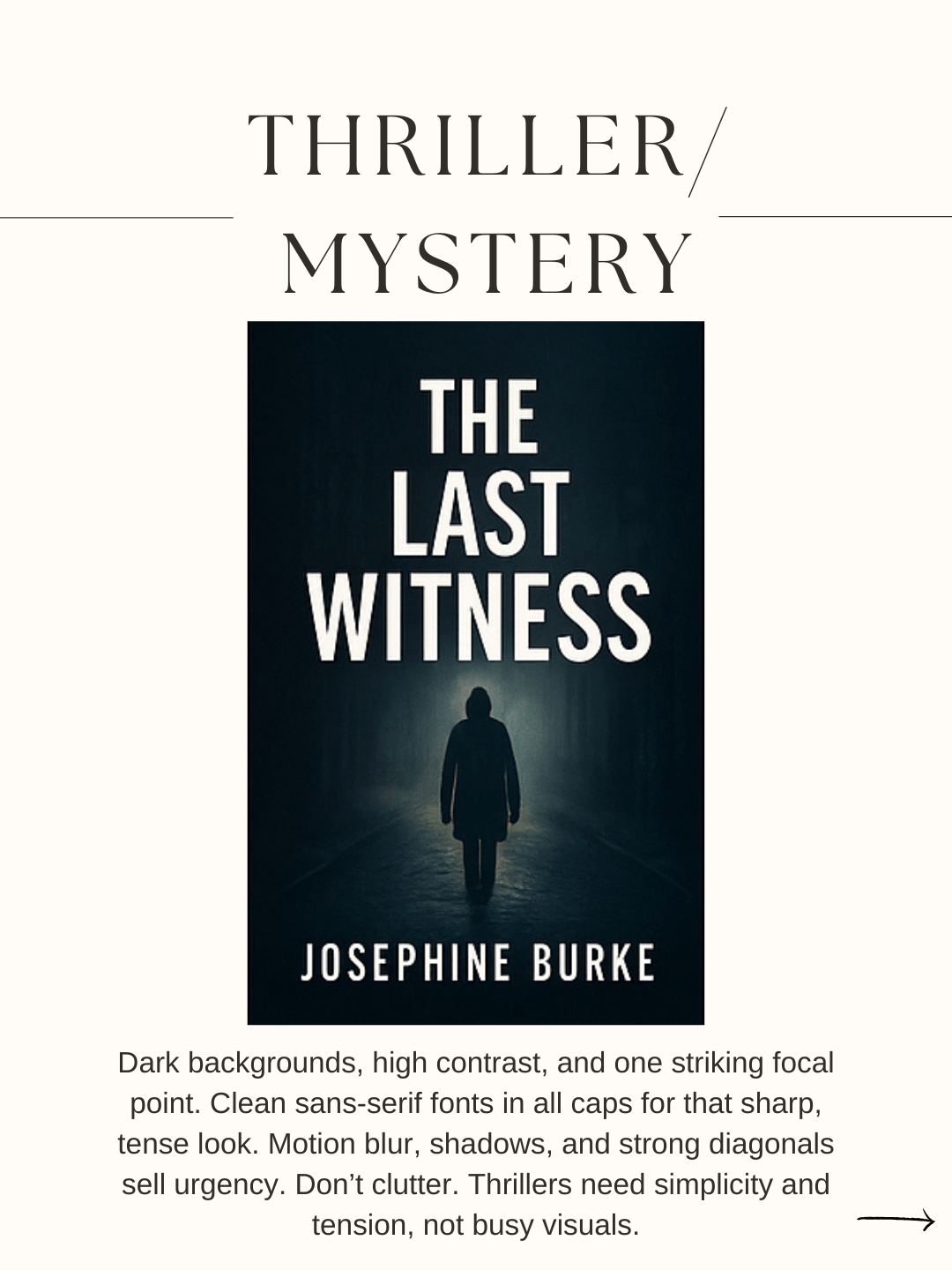

Fonts can also invoke genre and theme. Aside from your font being in either the public domain or free for commercial use, it should be legible and pass the thumbnail test. Your title font should be more prominent than your name.
Use whitespace to your advantage to create a balance between the elements on the cover (i.e., image, title, subtitle, and author’s name). If your image is not centred on the cover, its flow should be toward the opening of the book. This means that profiles should face toward the right (opening) rather than toward the left (the spine).

The spine
Spines should include the book title, subtitle, and the author’s name. It may also display your imprint’s logo. Know that there may be a limit to the minimum number of pages before you can put text on your spine. For example, KDP only prints text on spines for books with 80 or more pages.
The back cover
The back cover of your book can be a solid colour or a continuation of the front and spine images. If you have a single image that wraps around the entire book, consider using a screen behind your back cover text or highlight it with a fine glow so it won’t get lost against your background image.
The back cover should contain your book blurb and the ISBN and barcode at a minimum. It may also display your author bio, headshot, imprint logo, and snippets from reviews. The font face should be legible—I always use the same font as my book’s interior—and at least 12 point, so people don’t have to squint to read it.
KDP and other online POD sites may generate the ISBN barcode for you. This should appear in your template as a no-go zone for images and text. If you are taking your book to an offset printer for publication, you can create and add your own bar code. The easiest way to create your bar code is to use an app like Kindlepreneur’s ISBN Barcode Generator.
Key takeaways
Before you create your first book cover, do a bit of research. There are specific, tried-and-true rules and guidelines for creating a good book cover. Here are a few resources to get you started:
- Book Cover Design Basics by Chris Payne
- IngramSpark’s The Ultimate Guide to Master Your Book Design: Expanded Edition
- Create a Paperback Cover by Kindle Direct Publishing
- Guidelines for Book Cover Design by UNESCO
If creating your own cover feels like too much, fear not. There are many places online (like EMSA Publishing) where you can hire a graphic designer to create a custom cover for your book. There are also many sites selling cheaper, premade covers, and personalization is often included in the purchase price.
Leave a Reply